PDF examples you can reproduce
Try SandboxPDF on a document you can inspect without exposing personal information. This workshop handout was created for these examples: every name, identifier and amount is fictional. Download the source, choose the settings below, and compare your own export with our saved result. Reviewed 23 October 2026 with release 0.4.8.
Start with the same source
Download the five-page workshop PDF. It has five A4 portrait pages, selectable text, a ruled four-column table, a coloured heading and a small-print checkpoint. Each page has a unique SOURCE PAGE number. The document Author property is deliberately set to “Example Author - fictional”; that name is also printed on each page so you can see the difference between metadata and visible content.
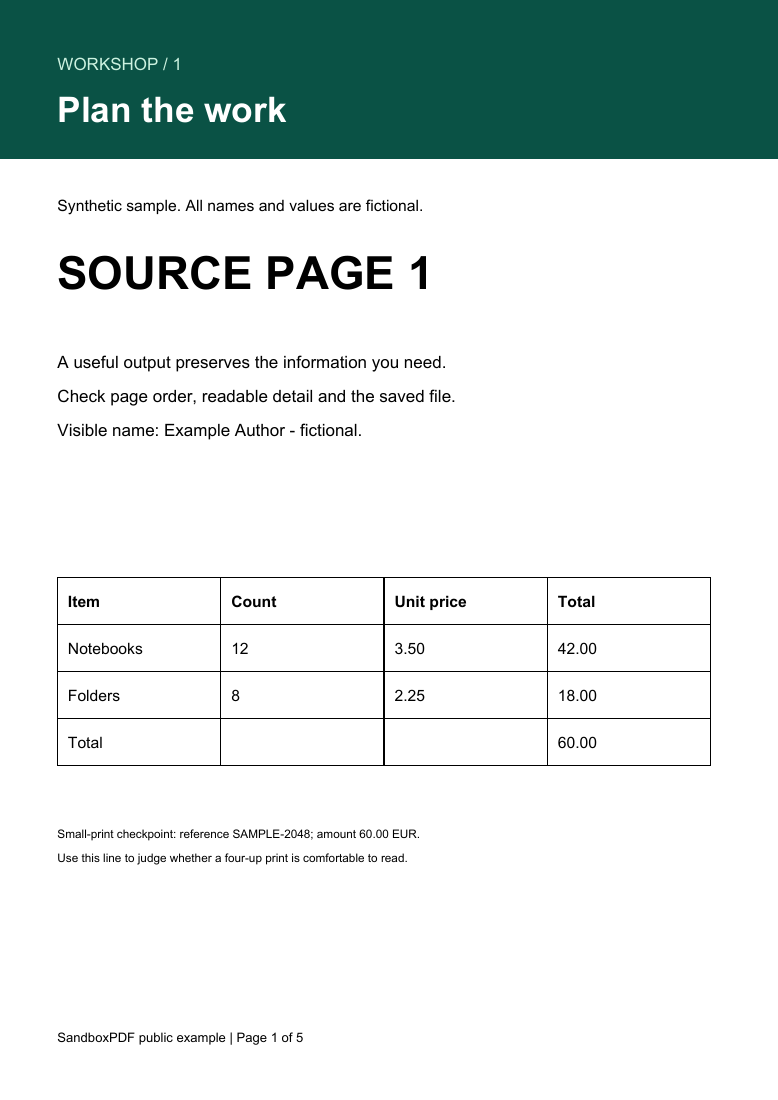
The table contains 12 notebooks at 3.50 and 8 folders at 2.25. The row totals are 42.00 and 18.00, giving 60.00 overall. Those simple values make transcription and column checks easier. They are sample data, not a financial record. You may reuse these SandboxPDF-created sample PDFs and page images for testing, teaching and demonstrations.
Experiment 1: five pages become two four-up sheets
Open Multiple pages per sheet, choose the source PDF and select all pages. Set four pages per sheet, A4 paper, Landscape orientation, an 18-point margin and a 12-point gap. Create and download the result. These values are in PDF points: 72 points equal one inch.
Download our four-up result. It contains two landscape sheets measuring approximately 841.89 × 595.28 points. Sheet one contains source pages 1–4 in reading order; sheet two contains page 5 and three unused positions. The final sheet is intentionally incomplete. No source page was duplicated to fill it.
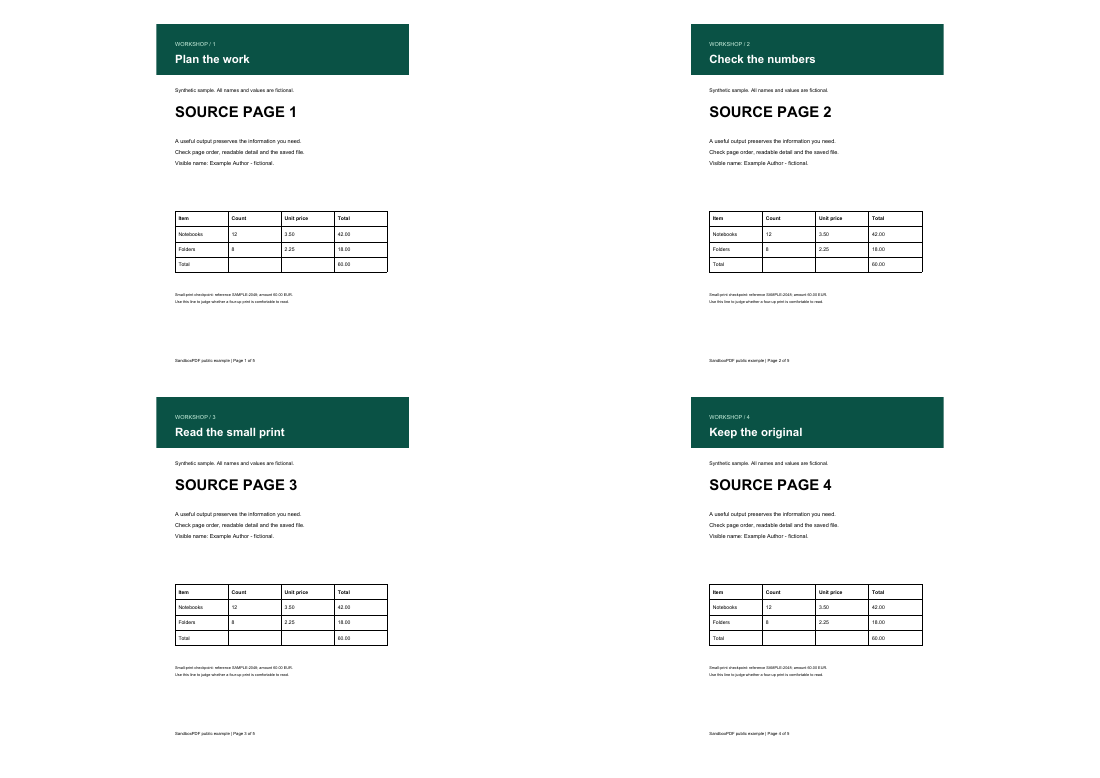
Compare the SOURCE PAGE labels, table total and small-print line in both files. The operation embeds page content rather than turning every page into a low-resolution screenshot. That preserves the opportunity to zoom into sharp text, but it cannot make small print physically larger. In this example the 9-point source checkpoint becomes much smaller on paper. Two-up or full-size printing may be a better choice if readers need to read that line comfortably. Print one proof before printing a class set.
This result demonstrates page placement and count for this file. It does not establish that all forms, attachments, links or signatures survive imposition. Preserve signed originals, and test files containing interactive elements separately. Read the N-up guide for the difference between sharpness and comfortable reading size.
Experiment 2: remove properties without hiding a printed name
Open Sanitize PDF with the same source. Review its document properties, then choose Metadata and interactive data and create the result. Keep the visual rebuild option off for this experiment.
Download our sanitized result. The source has an Author property containing “Example Author - fictional”. In the exported file, the document information dictionary has no retained property entries. The output still has five pages. The name printed inside the page remains visible and searchable: removing metadata is not redaction.
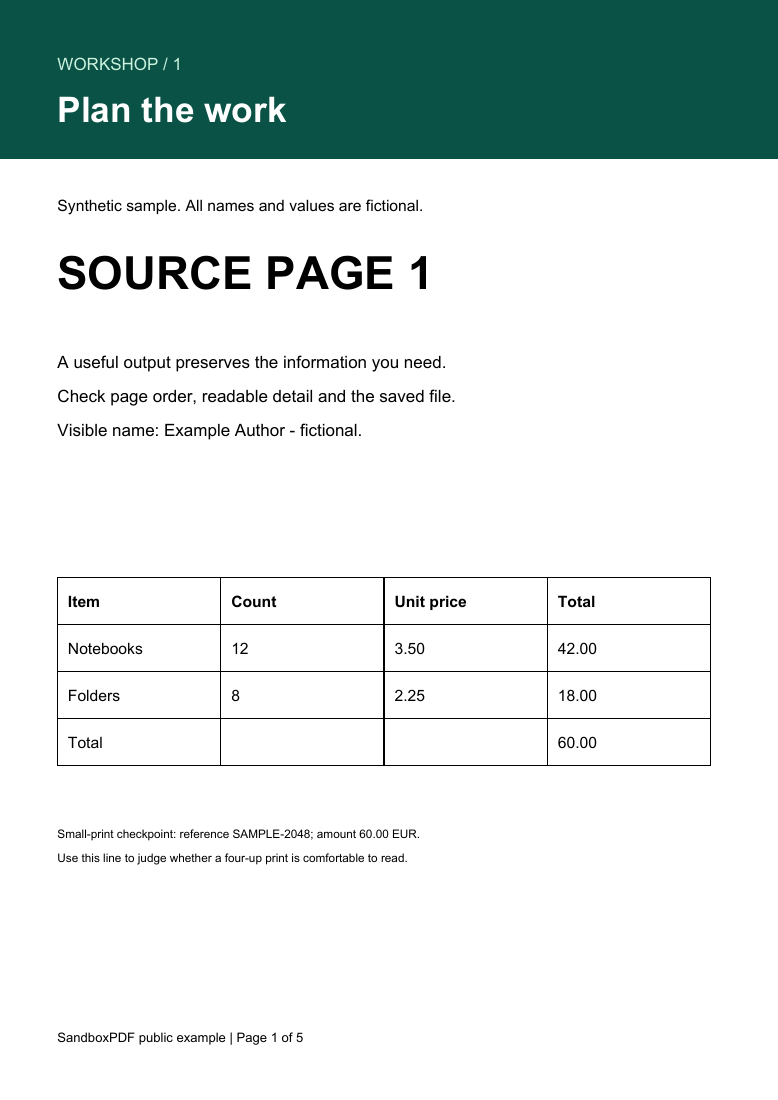
Check the properties panel in an independent PDF reader, then search the page for “Example Author”. These are deliberately different checks. A tool that removes the Author field must not be described as erasing that same name from page text. To remove visible confidential content, use Redact PDF and verify the exact regions in its exported result.
The metadata mode can also remove interactive structures such as comments and links and flatten form values. This plain sample contains no forms, attachments or image EXIF, so it is not evidence that those cases were covered by this experiment. A comprehensive privacy review depends on the original file. Read the metadata guide before using a cleanup result for sensitive sharing.
Experiment 3: inspect before converting a table
Open the source in Inspect PDF. Expect five pages at approximately 595 × 842 points and extractable text on each. A reader may report a generic font family rather than the original font's full name. That is not proof of font embedding or a reason to change the document by itself.
For an extraction exercise, open PDF to Excel, choose page 1 and review the table before downloading. Use the source values above as your answer key. Confirm four columns, one header row and three body rows. Check the blank cells in the total row instead of shifting “60.00” into the wrong column. Values are deliberately stored as text; convert checked numeric columns using the appropriate spreadsheet locale. The example PDF stores displayed values, not the original arithmetic formulas.
We provide the PDF and an explicit answer key for this exercise, not a claim that every PDF table extracts correctly. If your output differs, do not treat a plausible-looking total as proof of accuracy. Compare the source-page reference and correct or exclude the extraction. The spreadsheet guide explains checks for merged headings, repeated headers and OCR errors.
What our checks prove—and what they do not
The downloadable N-up and sanitized PDFs were generated using the same transformation functions shipped in SandboxPDF. Automated checks reopen the PDFs and verify page counts, sheet dimensions and document properties. We also render the saved files in an independent PDF renderer to inspect the actual pages. Download the recorded measurements for file sizes, settings and before/after properties.
File-size changes are reported as observations, not promises of compression. A transform can increase size while doing its intended job. This small synthetic fixture is not a benchmark of a phone, a large scan or an encrypted document. Rendering comparisons do not validate certificate signatures, archival compliance, OCR quality or accessibility. The capabilities page describes those boundaries, and our review approach explains how examples and corrections are handled.